Features
Everything your SQL Server backup needs
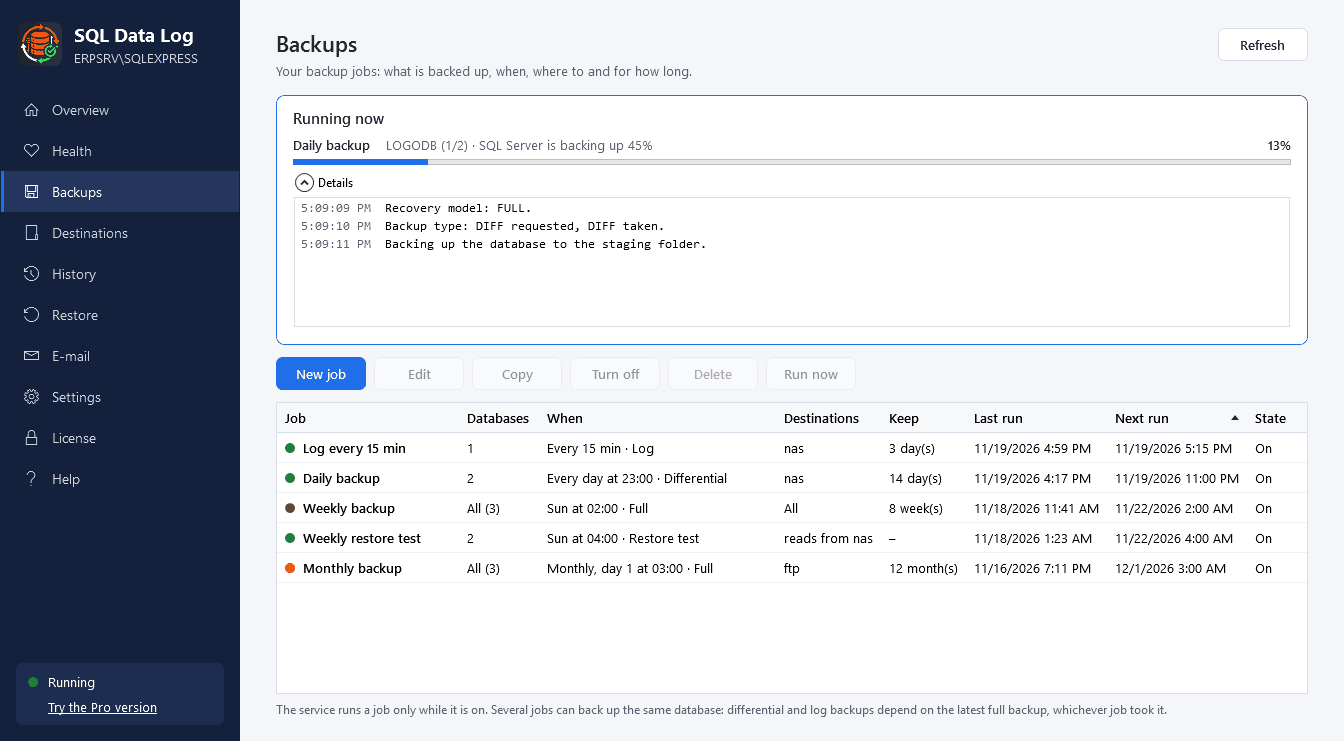
Scheduled, compressed, encrypted backups to your own storage, every one verified. A weekly restore test is coming with 1.0.
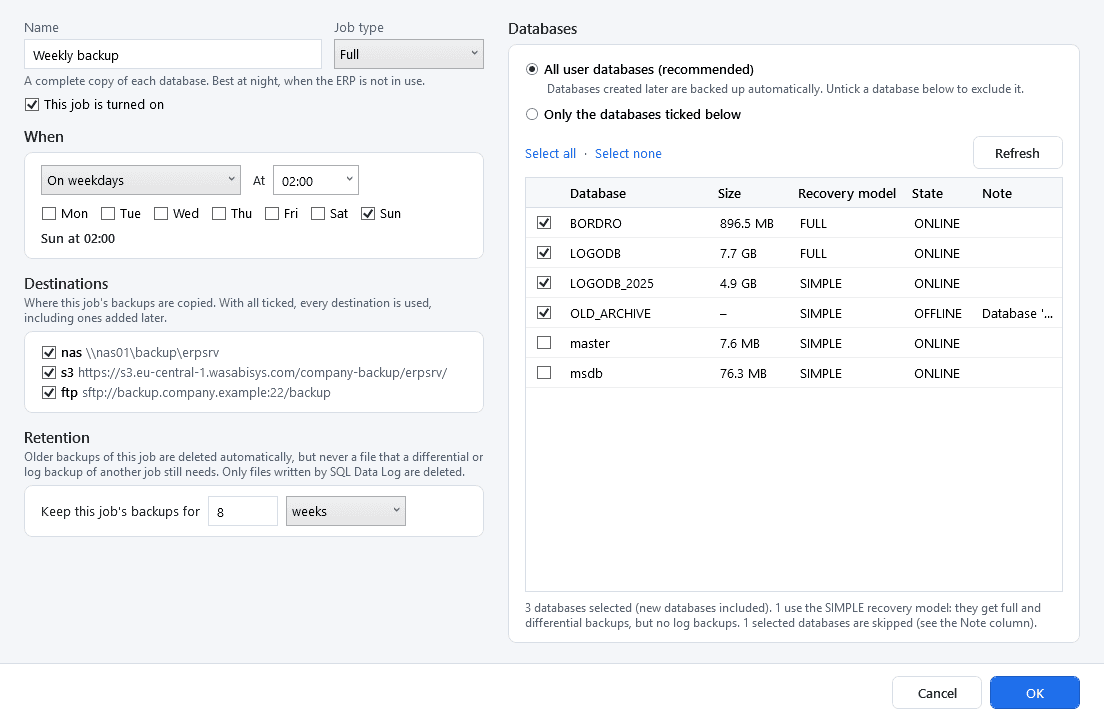
Backup types and schedules
Create jobs for the databases you choose, or all user databases including new ones. The service schedules them itself, so SQL Server Express works without SQL Agent.
- Full, differential and log backups
- Daily, weekly or monthly schedules, or every few minutes for logs
- SQL Server 2012 to 2025, including Express
- Retention per job; only files SQL DATA LOG wrote are deleted
Encryption and recovery key
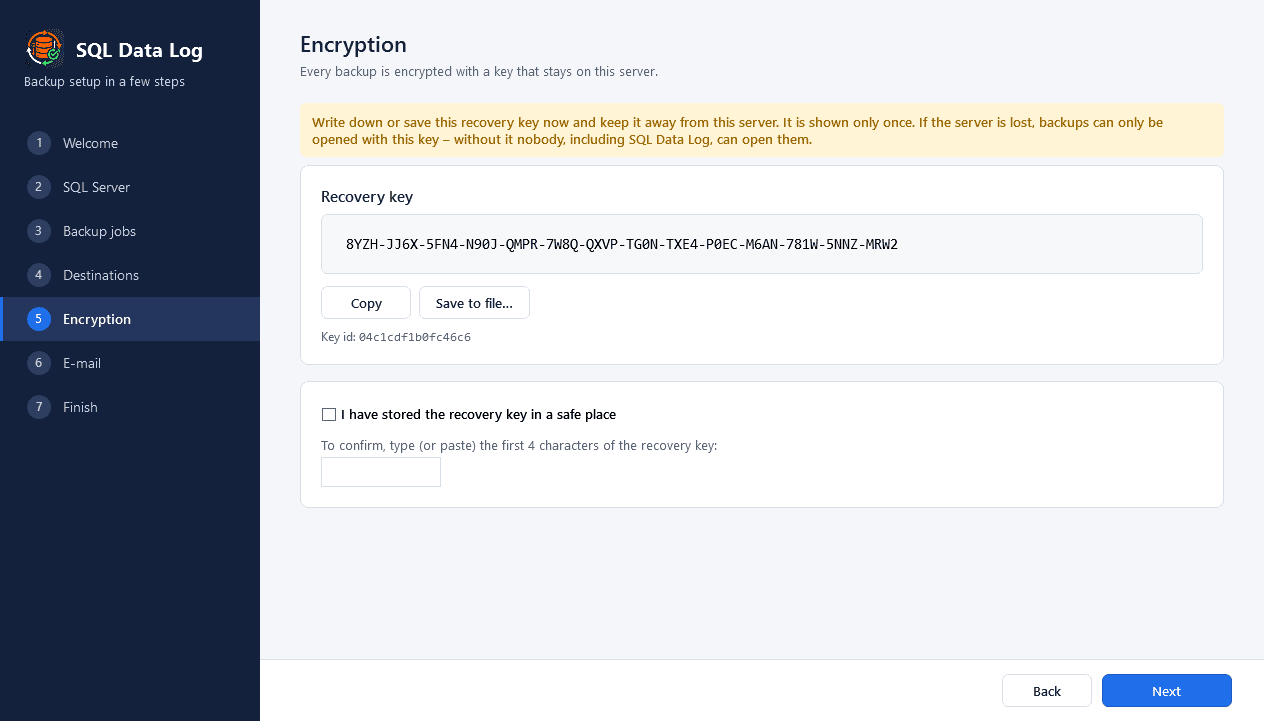
Every backup is encrypted before it is written anywhere. At setup you receive a recovery key. Keep it away from the server: without it, nobody, including us, can open your backups.
- AES-256-GCM encryption
- The key is stored on your server with Windows DPAPI
- A recovery key is shown once at setup
- Decrypt any backup with the sqldatalog decrypt command
Verification and the weekly restore testComing soon
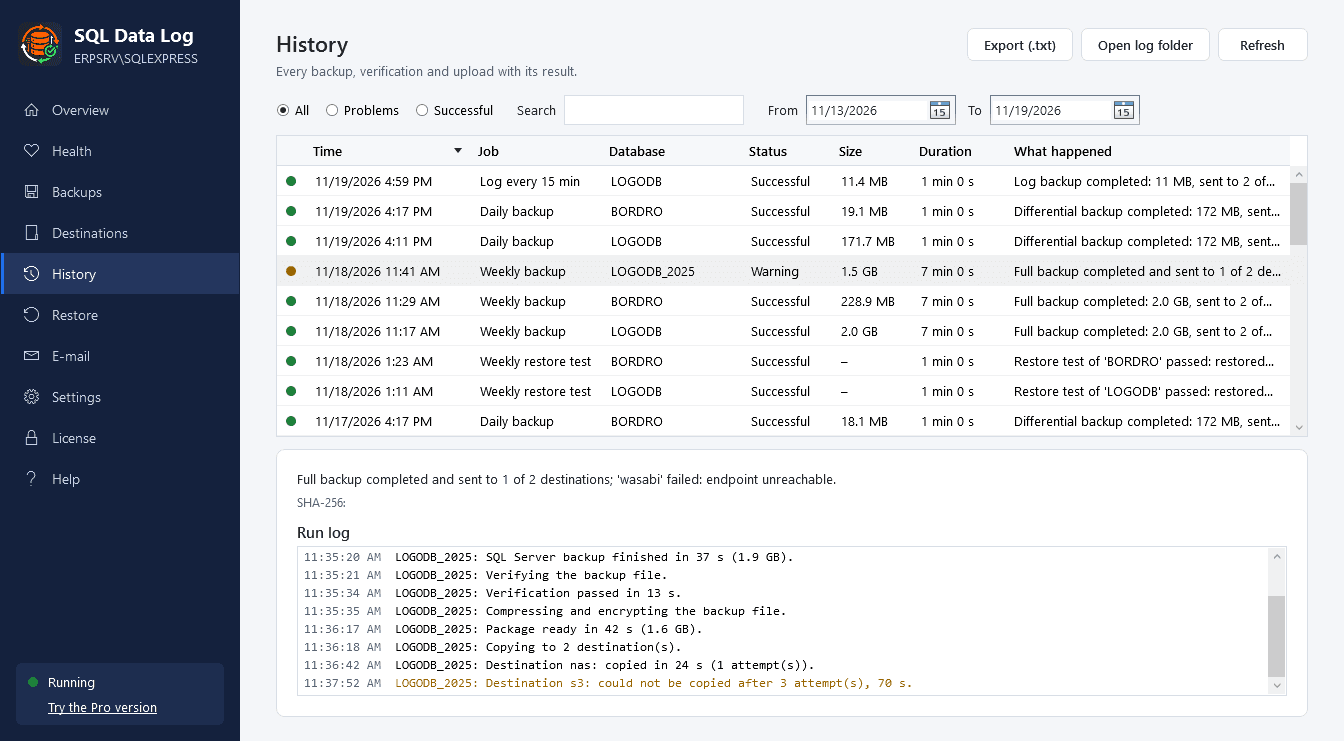
Backups are written WITH CHECKSUM and checked with RESTORE VERIFYONLY. With version 1.0, every week the latest backup will also be restored under a temporary name, checked with CHECKDB, compared by row counts and deleted. This is the difference between hoping and knowing.
Available today: every backup is checked with RESTORE VERIFYONLY and CHECKSUM, and you can restore manually from the app or with sqldatalog decrypt. The automatic weekly restore test arrives with 1.0.
- WITH CHECKSUM and RESTORE VERIFYONLY on every backup
- A weekly automatic restore under a temporary name (coming with 1.0)
- CHECKDB and row-count comparison
- The test database is always deleted afterwards
Backup targets
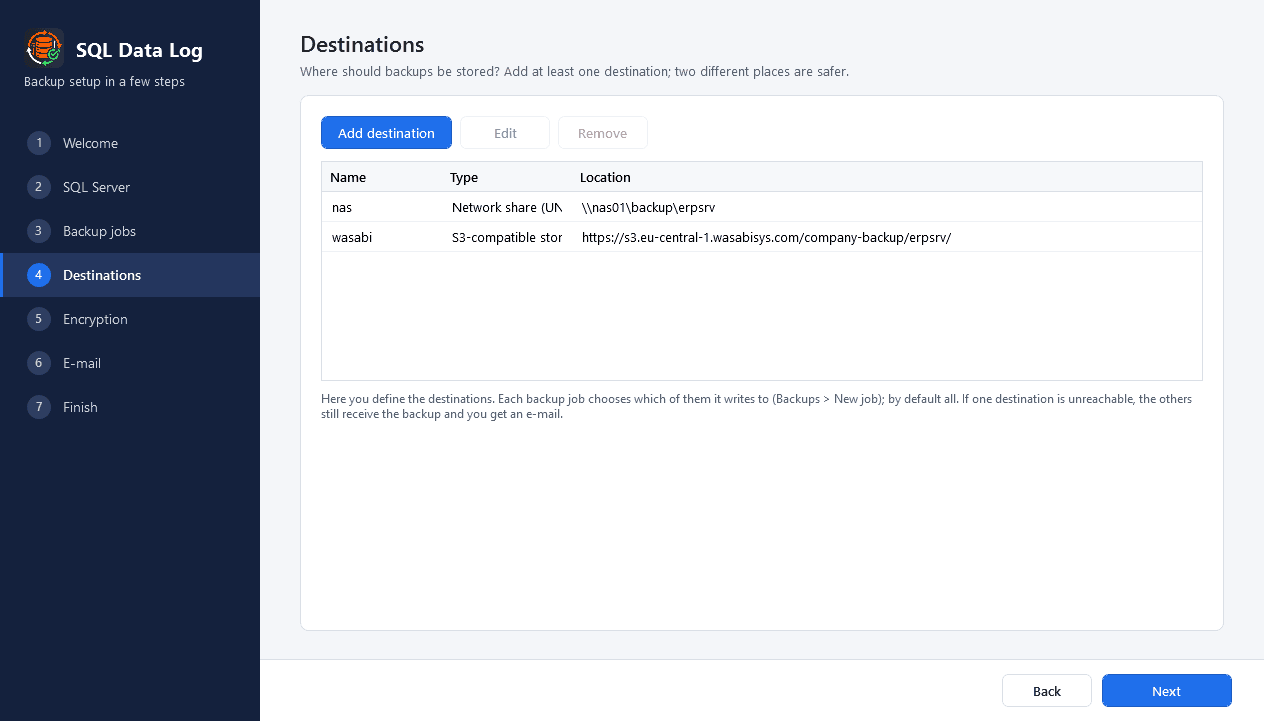
Pick one or more targets per job. If one target is unreachable, the others still receive the backup and you get an e-mail.
- Several targets per job
- Credentials are protected with Windows DPAPI
- Backup files go only to your targets, never to SQL DATA LOG
Supported now
Local folder
A folder on the server or another disk.
Network share / NAS (UNC)
A share such as \\nas01\backup.
External disk
A USB or external drive that Windows shows as a folder.
FTP, FTPS and SFTP
Any server that speaks these protocols.
S3-compatible storage
Amazon S3, Backblaze B2, Wasabi, Cloudflare R2, MinIO, IDrive e2 and Google Cloud Storage (S3 interoperability).
On the roadmapComing soon
These are not available yet. We list them so you can plan ahead.
- WebDAV
- Dropbox
- Google Drive
- OneDrive
- Azure Blob
- Box
Compression
Express has no built-in backup compression. SQL DATA LOG compresses every backup itself, so you save disk space and transfer time on every edition.
- Works on Express, which has no built-in compression
- Less space on local disks and cloud storage
- Faster copies to NAS and remote targets
Scheduling and the night window
The service respects your live server. Only one heavy job runs at a time, and the upcoming restore test will wait for your night window and check free disk space first.
- One heavy job at a time
- Restore tests will run in your night window (coming with 1.0)
- Disk space will be checked before a restore test
- Alerts when an expected backup does not arrive
Notifications
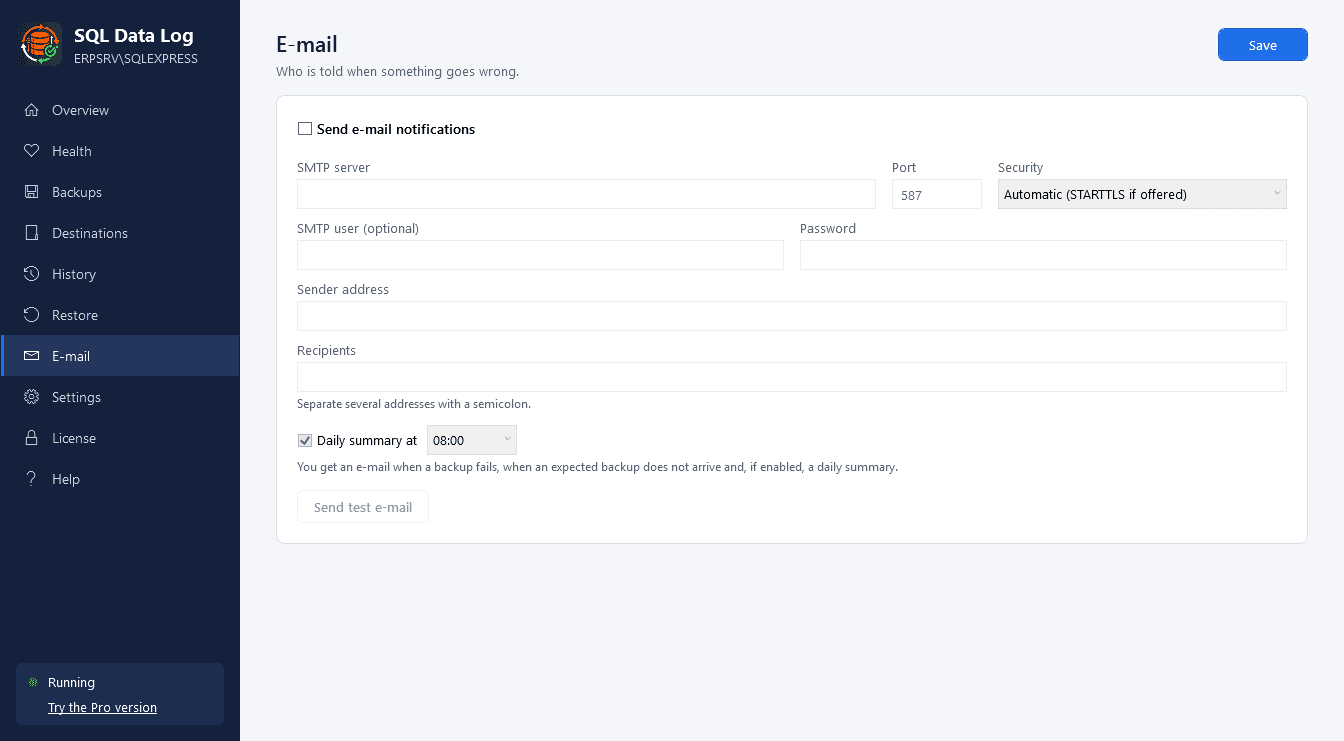
Set your SMTP server and recipients. You get an e-mail for problems and an optional daily summary.
- E-mail on failure or a missing backup
- An optional daily summary at a time you choose
- A test e-mail button to check your settings
Desktop app and command line
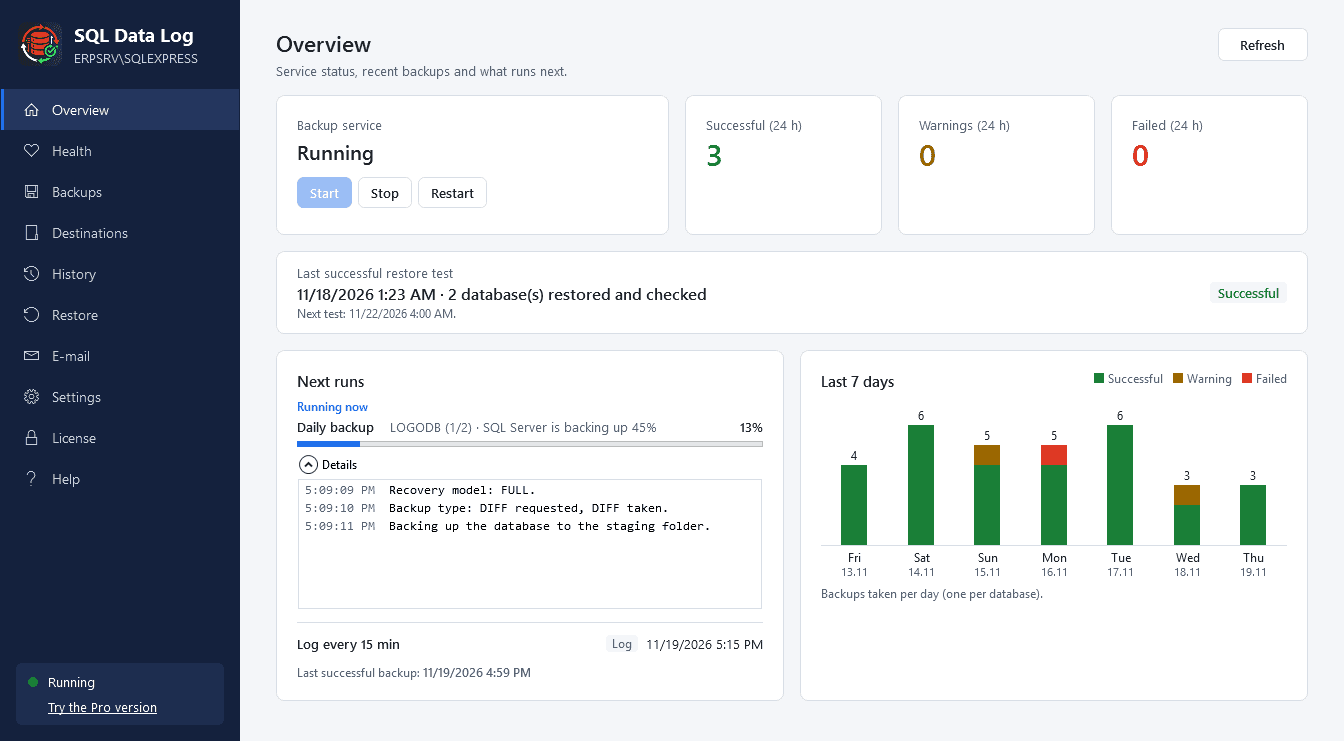
Configure everything in the desktop app. The service runs in the background. The sqldatalog tool lets you script and monitor the same agent.
- Windows service plus desktop app
- Commands: run, backup now, decrypt, log, status, notify test
- Exit codes that monitoring scripts can use
Security model
The agent only connects out over HTTPS and opens no inbound port. If the cloud is unreachable it keeps working with local settings. Our cloud stores metadata only: times, sizes, checksums and results.
- No inbound ports
- Backup files only go to your own targets
- Secrets never appear in logs
- The Analysis module is read-only
Analysis module
Disk space, growth, integrity, backup status, settings, slow queries and fragmentation are checked without writing to any of your databases. Try the free online check-up first.
- Read-only, never writes to your databases
- A monthly report in plain language
- Alerts before problems become outages
Try it on one server, free
The free Backup edition covers 1 server and 1 backup job.