Skip to content
SQL DATA LOG

Download center

Download SQL DATA LOG

The free online check-up is ready today. The Backup installer is coming soon; create a free account and we will have your place ready.

SQL DATA LOG Backup

Coming soon

One installer (SQLDataLog.msi) puts the desktop app, the Windows service and the sqldatalog command-line tool on your SQL Server. The public download is not available yet.

What the installer contains

  • Desktop app to set up jobs, targets and encryption
  • Windows service that runs the schedule in the background
  • The sqldatalog command-line tool: run, backup now, decrypt, log, status, notify test

Editions

  • Free edition: 1 server and 1 backup job, no card and no trial period.
  • Paid plans: free trial with every feature of the plan, no card.

Until the installer is released, create a free account and run the free check-up on your server.
Free online check-up

Available

A small read-only program checks your SQL Server and shows a one-page health report in your browser. It is read-only, shows what it will send before it sends anything, and does not send query text.

Direct downloads

The check-up page gives you a one-time code and the program to run with it. Use these links for manual or offline use.

  • sqldatalog-checkup.exe

    Self-contained program, no installation and no .NET needed.

    Download
  • sqldatalog-checkup.zip

    Offline package: the SQL script and report generator, if you prefer to run it yourself.

    Download
    Size
    12 kB
    SHA-256
    23be683bdba17c1df2ef85cd9d5188a1be2449b9d1e1fc25511ad7c6cda84792

These files are not code-signed yet. Windows SmartScreen may warn about an unknown publisher; compare the SHA-256 value above to verify the file.

System requirements

For the Backup agent. The check-up program needs no installation.

  • Operating system

    64-bit Windows Server 2012 or later (Windows 10 and 11 also work)

  • SQL Server

    2012 to 2025, Express included

  • Rights

    Administrator rights on the server to install; a SQL login for the agent

  • .NET

    Not required; the runtime is inside the package

  • Network

    Outbound HTTPS only; no inbound port is opened

Installation steps

About ten minutes on the server where SQL Server runs.

  1. Run the installer

    Run SQLDataLog.msi as an administrator. English and Turkish packages are separate.

  2. Follow the install wizard

    Read the notice about what the software does on your server, choose the folder and finish. Windows asks for a UAC confirmation when the app starts.

  3. Complete the first-run setup

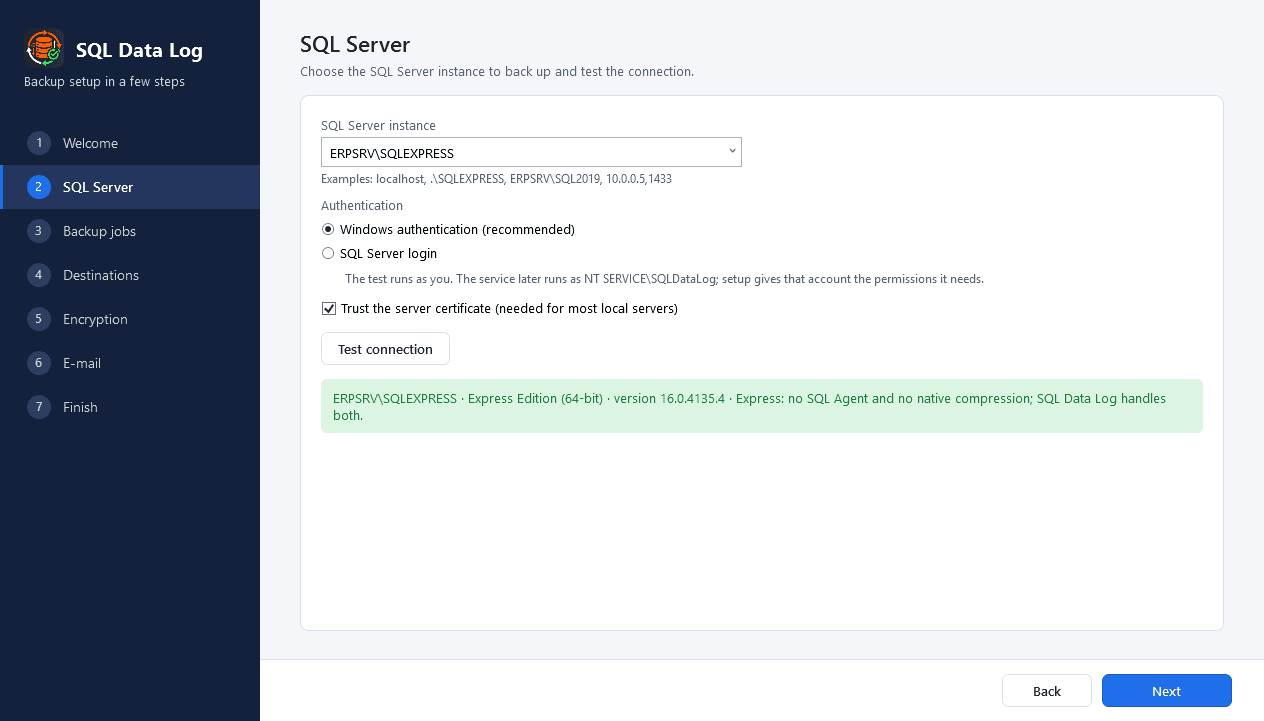
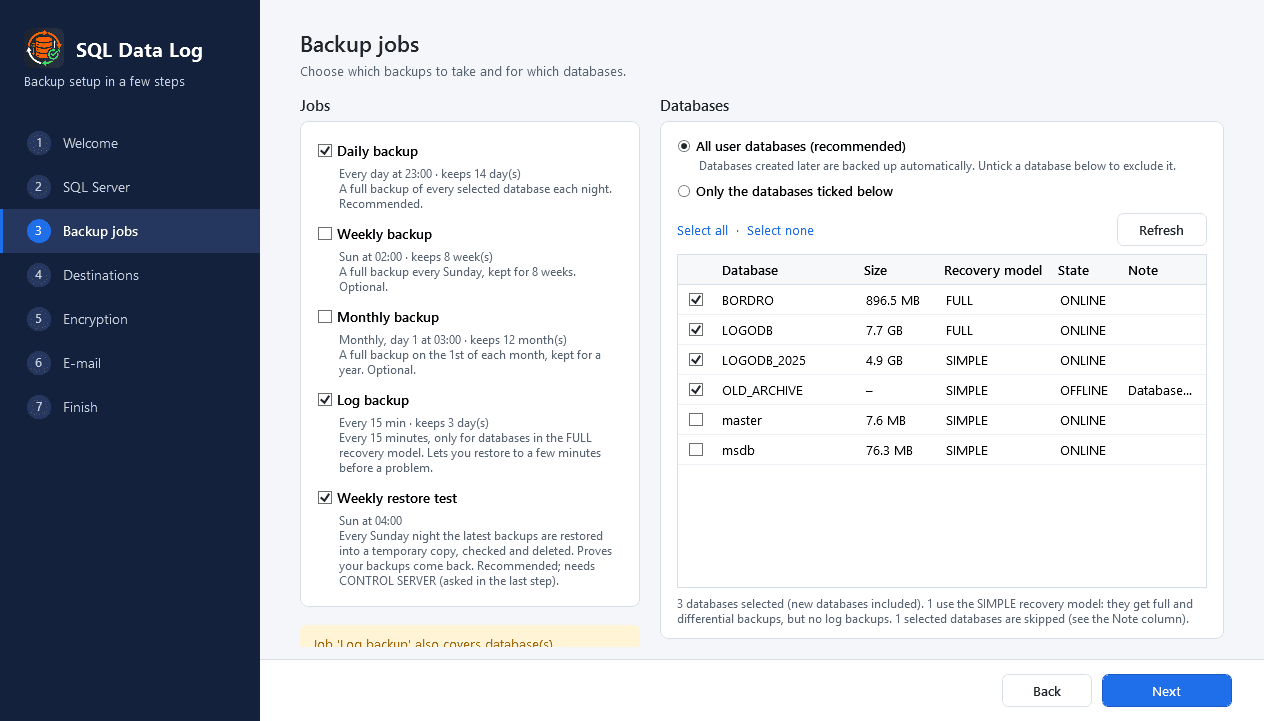
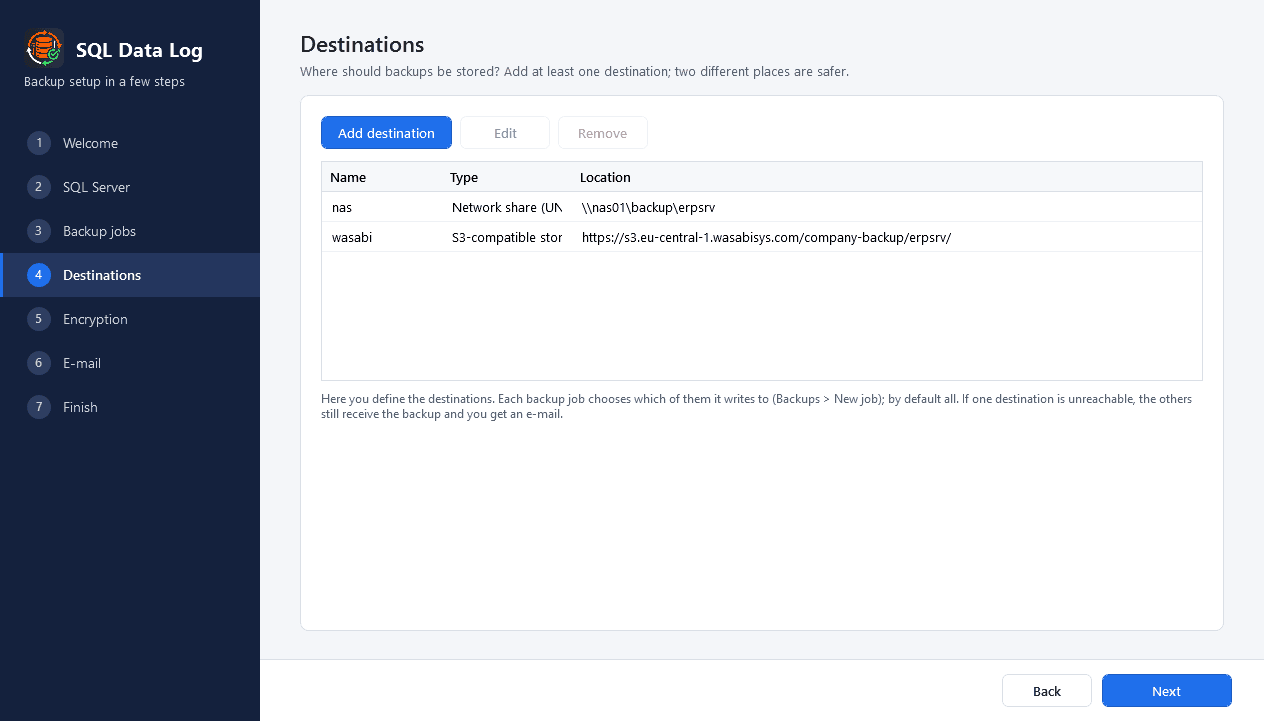
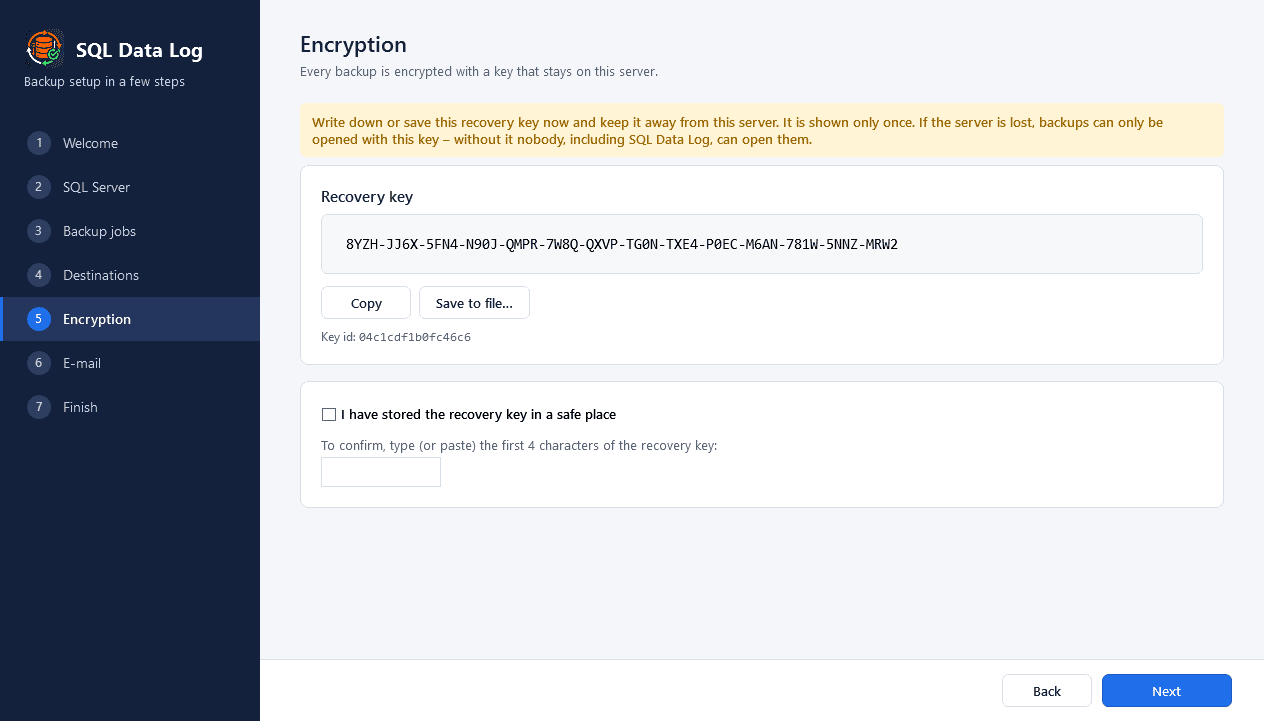
    Connect to SQL Server, choose databases and schedule, add your targets, and store the recovery key in a safe place.

  4. Check that it works

    Open a command window and run sqldatalog status, then take a first backup with sqldatalog backup now.

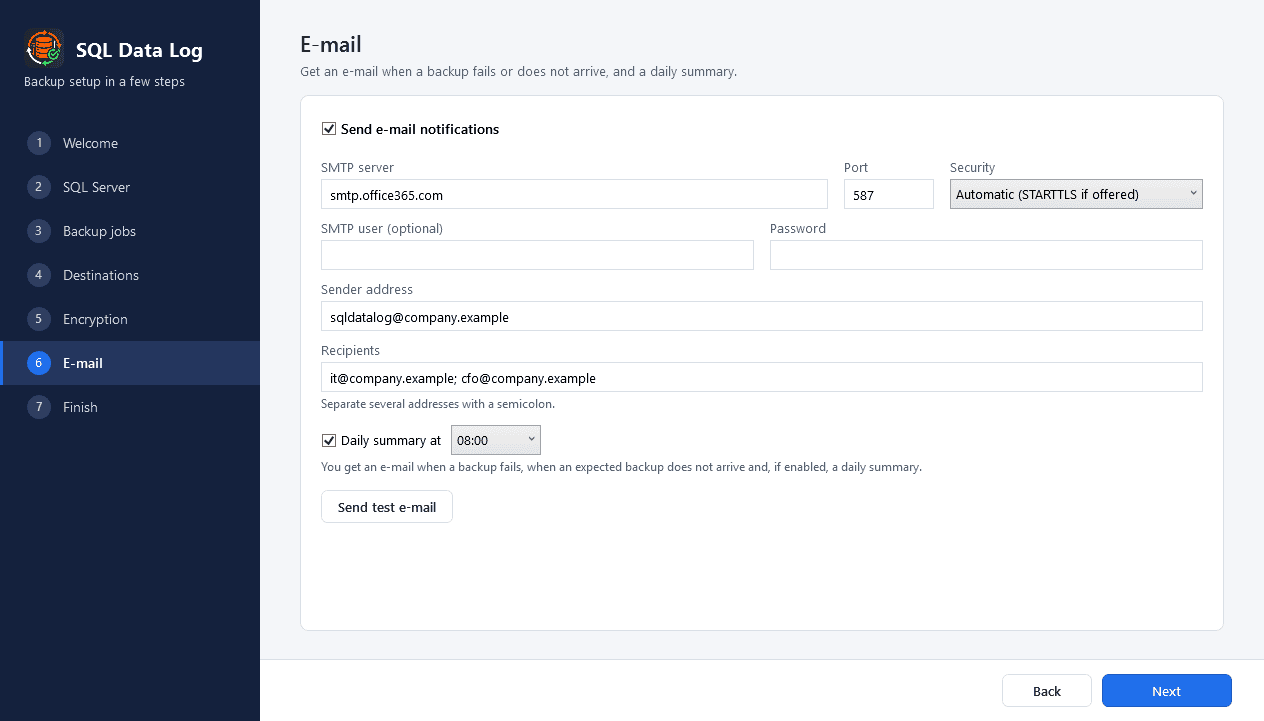
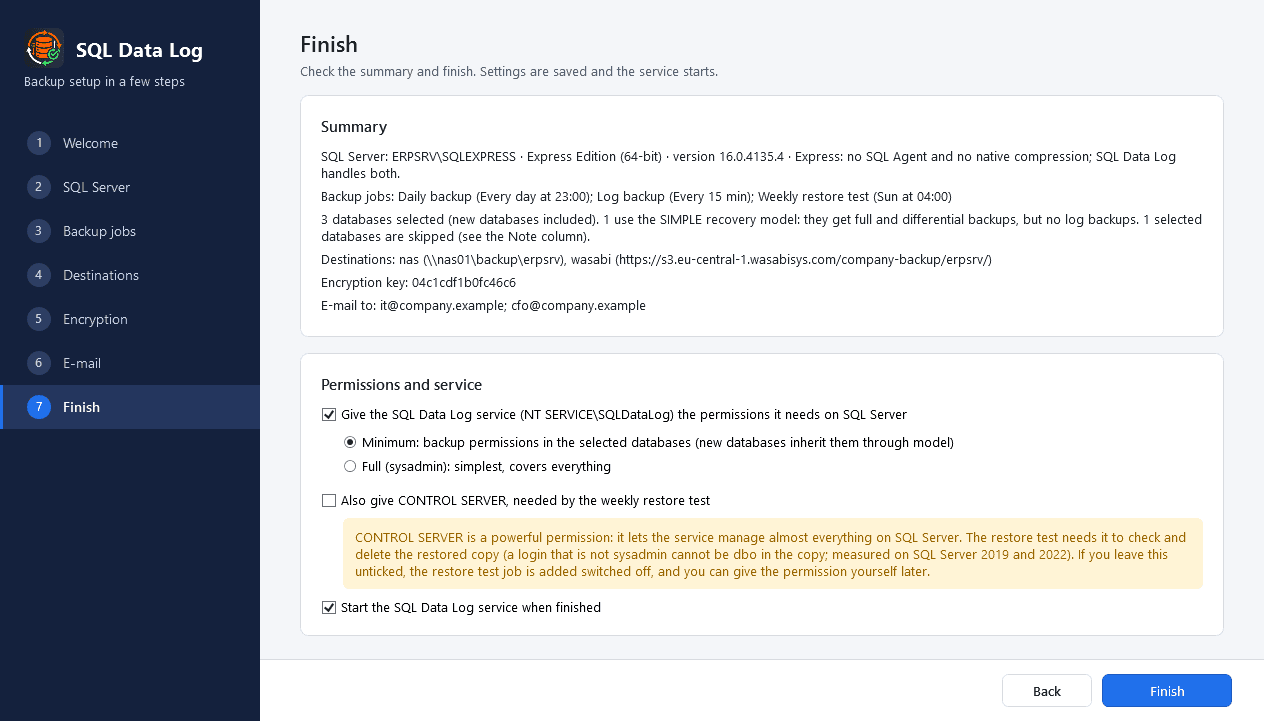
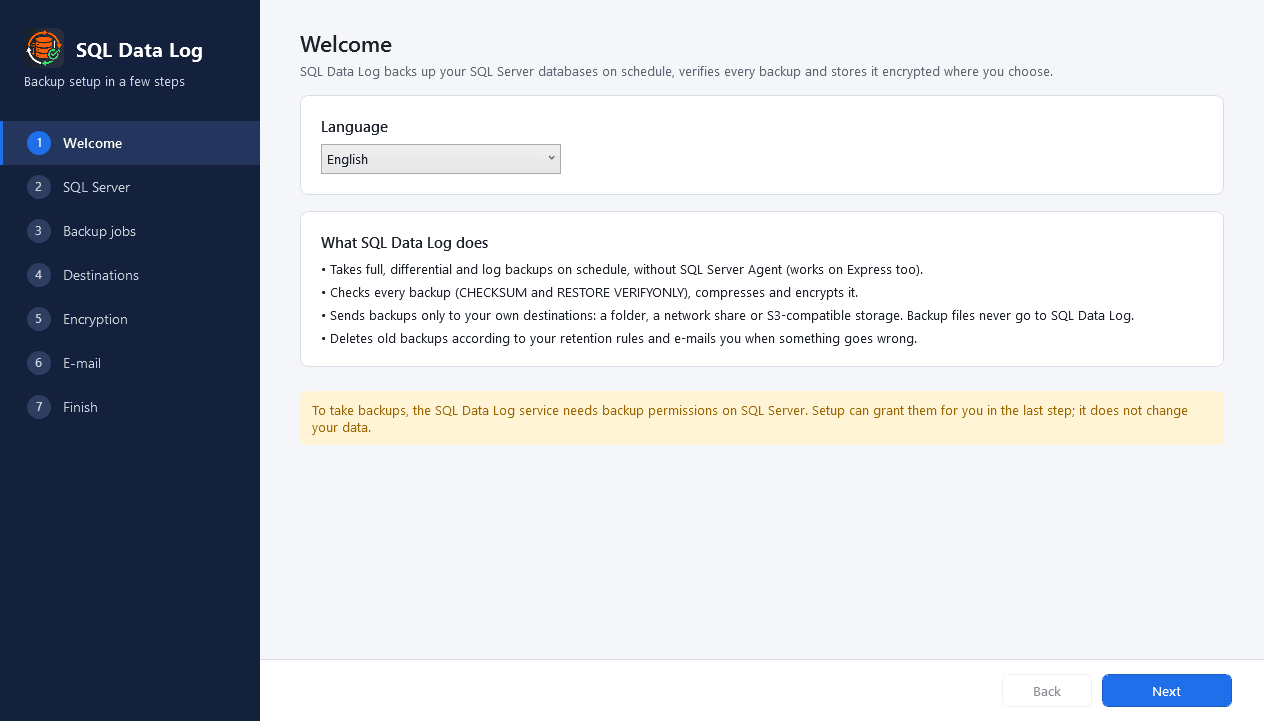
The first-run wizard

  • Welcome
    Welcome
  • SQL Server connection
    SQL Server connection
  • Databases and schedule
    Databases and schedule
  • Backup targets
    Backup targets
  • Encryption and recovery key
    Encryption and recovery key
  • Notifications
    Notifications
  • Finish
    Finish

Releases

Release notes and updates are published on the news page. Update channel and release cadence: [Release channel to be confirmed].

Current version: [Version number, published with the first release]

Installer SHA-256: [Published with the first release]

News and updates